
Connect to the LPB Piso WiFi network and open http://10.0.0.1 or http://lpb.wifi. Tap Insert Coin to buy time, Pause to stop the timer, and Resume to continue on the same device.
LPB Piso WiFi is one of the most common coin WiFi systems in the Philippines, and its customer portal runs at 10.0.0.1. This guide covers the LPB login page, how to pause time on an LPB vendo, and the lpb.wifi address you may see instead of the IP.
LPB Piso WiFi 10.0.0.1 login
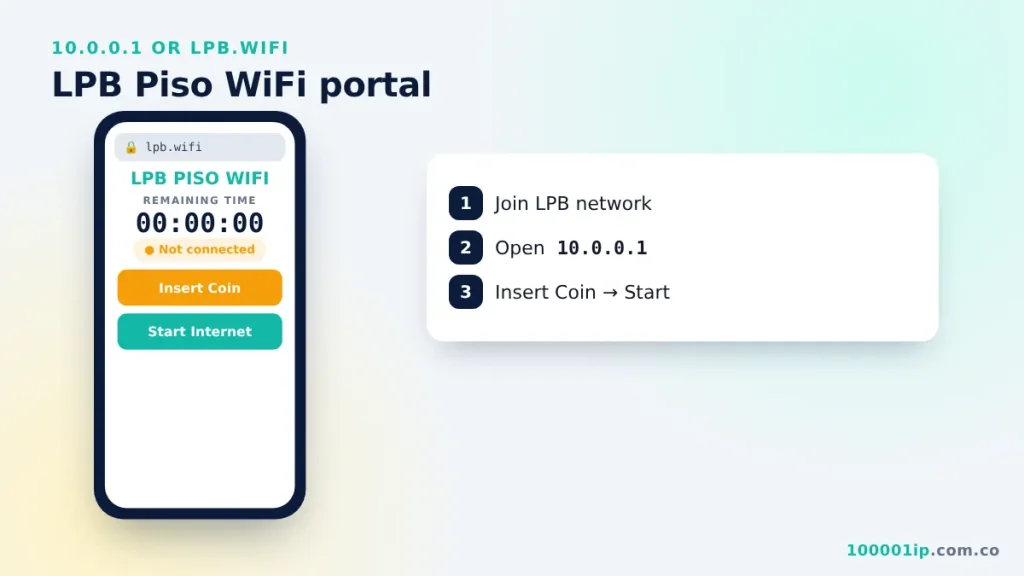
- Connect to the LPB Piso WiFi network.
- Open
http://10.0.0.1orhttp://lpb.wifiin your browser. - The LPB portal shows your device, your remaining time and the Insert Coin button.
- Tap Insert Coin, drop your coins, then tap Start Internet.
LPB Piso WiFi 10.0.0.1 portal buttons
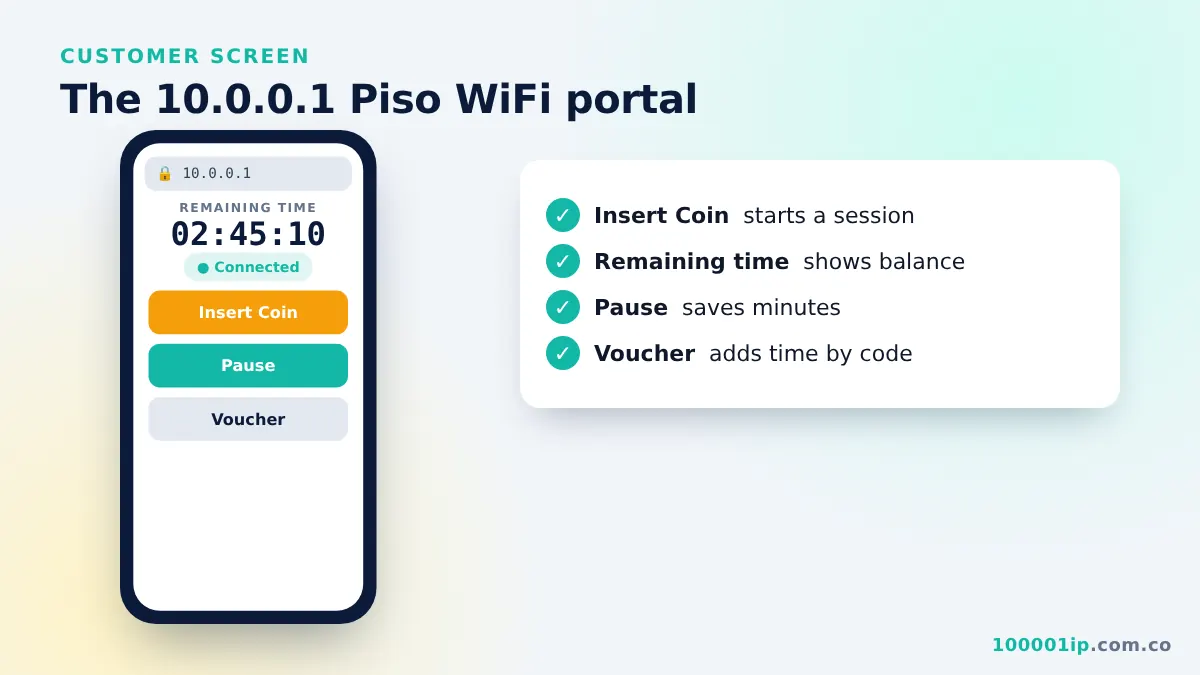
- Insert Coin: opens the coin slot for your device for a short countdown.
- Remaining Time: shows the days, hours and minutes left on your balance.
- Pause / Resume: stops and restarts your timer when the owner allows it.
- Voucher: adds time from a printed or shared code instead of coins.
- Rates: lists how many minutes each coin buys on that machine.
What is lpb.wifi?
lpb.wifi is a local shortcut name (a hostname) that LPB machines answer on. Typing it opens the same portal as 10.0.0.1. It only works while you are connected to an LPB network. If it does not open, use the IP address instead.
LPB Piso WiFi pause time
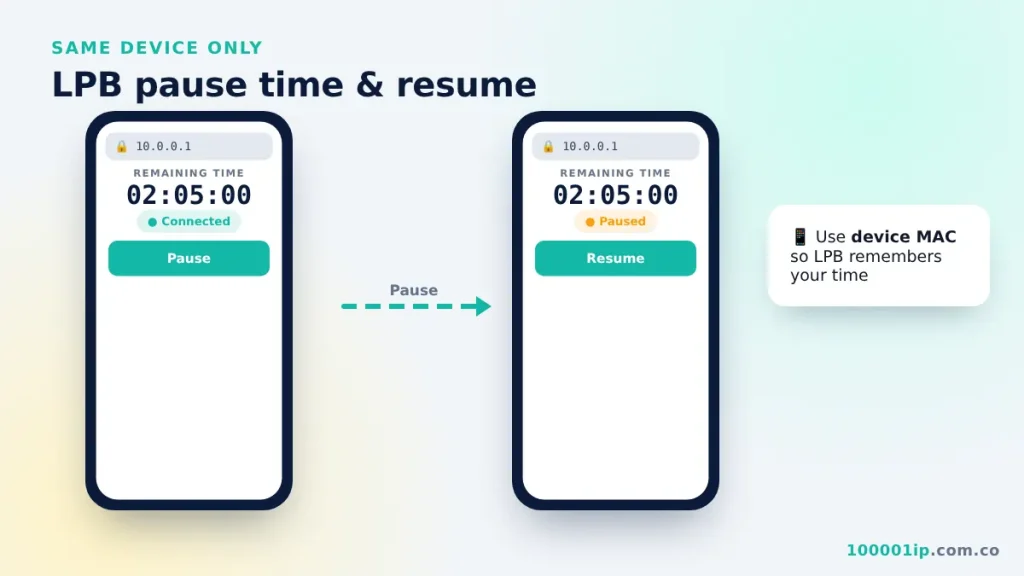
On the LPB portal, tap Pause under your remaining time. The status changes to Paused. To continue, open 10.0.0.1 again on the same device and tap Resume. If you do not see the button, the owner has disabled pausing. The general 10.0.0.1 pause time guide lists every reason the button can be missing.
Common LPB problems
| Problem | Fix |
|---|---|
| Coin not counted | Tap Insert Coin first, then drop the coin within the countdown. Ask the owner if the slot jammed. |
| Time lost after reconnecting | Set WiFi privacy to "Use device MAC" so the portal recognises you. |
| Portal not loading | Turn off mobile data, Private DNS and VPN. See 10.0.0.1 not working. |
| Connected but no internet | Time ran out or the owner's internet line is down. Check Remaining Time. |
LPB owner admin
Owners manage LPB vendos at 10.0.0.1/admin. Read the 10.0.0.1 admin login guide for setup and security tips, and the Piso WiFi portal guide for how customers see your machine. From the LPB dashboard, owners can set coin rates, create vouchers, view daily sales and turn the pause feature on or off.
Tips for LPB customers
- Use the same phone each time. LPB tracks your balance by MAC address, so a new or randomized address looks like a new customer.
- Pause before you leave. Paused time is usually kept until the owner's expiry limit.
- Keep your voucher code if the owner gives one. It helps if you need to claim lost time.
- Report a jammed coin slot to the store right away, before other customers use the machine.
- Turn off app auto-updates and cloud backups while on Piso WiFi so your paid minutes go to what you need.
LPB Piso WiFi FAQ
Is lpb.wifi safe to open?
Yes, when you are connected to an LPB vendo. The name points to the machine in front of you, not to a website on the internet, and the portal never asks for personal passwords.
Why does lpb.wifi not work but 10.0.0.1 does?
Your phone may be using Private DNS or a VPN that skips the vendo's local name lookup. Turn those off, or simply use the IP address, which always works on the local network.
How do I know my coins were counted?
The Remaining Time on the portal goes up after each coin, and many LPB machines beep or show the amount inserted. If the number does not change, stop inserting coins and ask the owner to check the slot.
Can I use LPB vouchers on another vendo?
Only if both machines belong to the same owner and are linked. Vouchers are created on one LPB system, so a code from a different store will be rejected.
Frequently asked questions
What is the LPB Piso WiFi login address?
10.0.0.1 or lpb.wifi, opened while connected to the LPB network.
How do I pause time on LPB Piso WiFi?
Open 10.0.0.1, tap Pause under your remaining time, and tap Resume later on the same device.
Why is lpb.wifi not opening?
It only works on an LPB network. Use http://10.0.0.1 instead and turn off mobile data and Private DNS.