
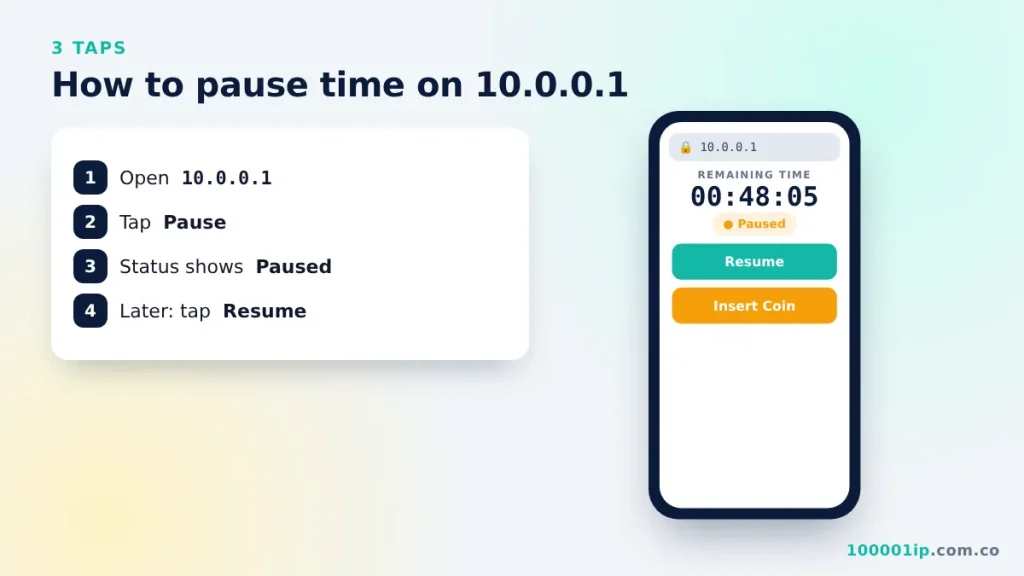
To pause Piso WiFi time, open http://10.0.0.1 while connected, then tap Pause. The timer stops. To continue, open 10.0.0.1 on the same device and tap Resume. If there is no Pause button, the owner has disabled it.
10.0.0.1 pause time is the feature that stops your Piso WiFi countdown, so the minutes you paid for are still there when you come back. Here is exactly how to pause, how to resume, and why the pause button sometimes disappears.
How to use 10.0.0.1 pause time (step by step)
- Stay connected to the Piso WiFi network.
- Open your browser and go to
http://10.0.0.1. - Wait for the portal to show your Remaining Time.
- Tap Pause (also shown as Pause Time, Pause Internet or a ⏸ icon).
- Check that the status now reads Paused. Your internet stops and so does the timer.
How to resume your time
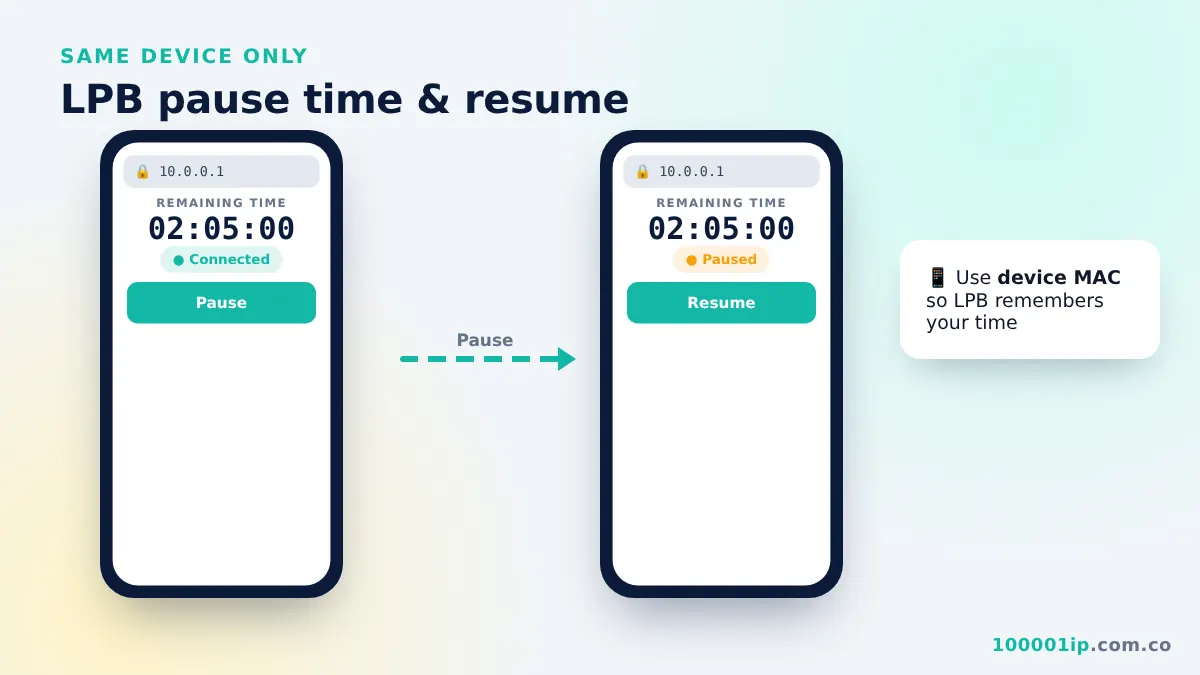
Connect to the same Piso WiFi, open 10.0.0.1 on the same phone or laptop, and tap Resume or Connect. The timer continues from where it stopped. Your balance is tied to your device’s MAC address, so using another phone, or turning on “random MAC” for the network, makes the portal treat you as a new customer.
Why the 10.0.0.1 pause time button is missing
- The owner turned pausing off. Some vendos do not allow pause at all.
- Your time is too low. Some machines only allow pause when you have more than a set number of minutes.
- Pause limit reached. Some set a maximum number of pauses per session.
- You are not logged in. If the portal shows only Insert Coin, your device is not recognised. Check the MAC setting above.
- Cached old page. Pull down to refresh or open 10.0.0.1 in a new tab.
How to pause Piso WiFi on a Windows laptop
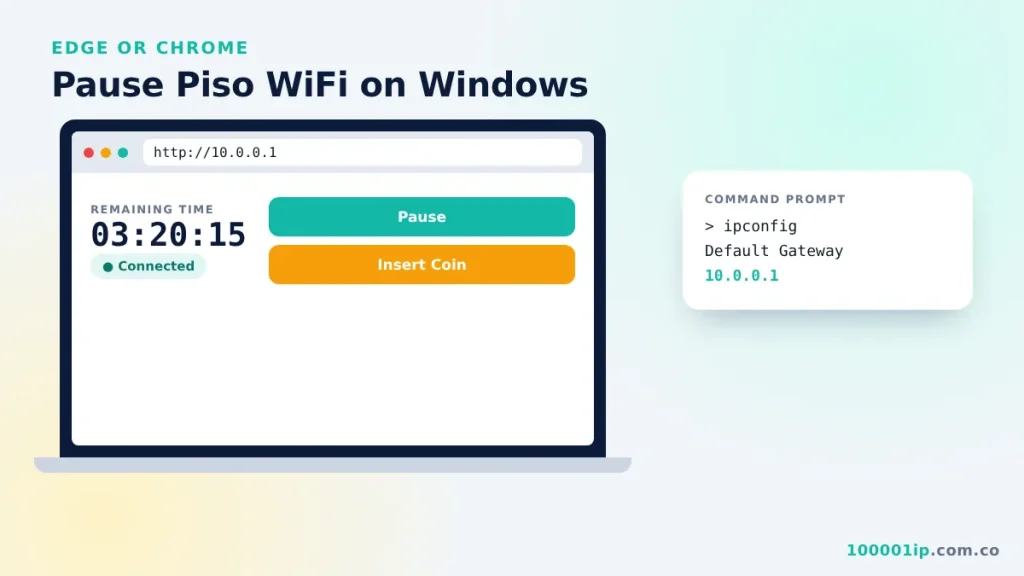
The steps are the same on Windows 10 and Windows 11. Connect to the WiFi, open Edge or Chrome, go to http://10.0.0.1, and click Pause. If the page does not open, run ipconfig in Command Prompt and confirm that the Default Gateway is 10.0.0.1. If it shows a different address, use that address instead.
Do “Piso WiFi pause time” apps work?
You do not need an app. The pause button lives on the vendo’s own portal, so any browser works. Apps on unofficial stores that promise free time or “auto pause” cannot change what the vendo records, and many of them carry ads or malware. Stick to the browser.
Does 10.0.0.1 pause time expire?
It depends on the owner’s settings. Many machines keep paused time for several days. Others clear it after 24 hours or when the machine restarts. If you plan to pause for a long time, ask the owner what their expiry rule is.
10.0.0.1 pause time FAQ
Does pausing stop the internet for everyone?
No. Pause only affects the device that tapped the button. Other customers on the same vendo keep browsing, and their timers keep running.
How many times can I pause in one session?
That is up to the owner. Many vendos allow unlimited pauses, while others cap it at two or three per session or add a short wait before you can pause again. If the button stops working after a few taps, you have probably hit that limit.
Why did my time keep running after I paused?
The pause may not have saved. Open the portal again and check that the status reads Paused, not Connected. Apps that refresh in the background can reconnect you on some systems, so close them or turn off WiFi until you are ready to resume.
Can I pause from a different phone?
No. The portal only shows the pause button to the device that owns the time, because the vendo tracks each customer by MAC address. Use the same phone or laptop that inserted the coins.
Does paused time carry over to other Piso WiFi machines?
No. Your balance is stored on the vendo where you paid. If you move to another store, you start fresh there, even when both machines use 10.0.0.1 and the same software.
Related guides
- 10.0.0.1 Piso WiFi portal: insert coin and rates
- LPB Piso WiFi 10.0.0.1 pause time login
- Fix 10.0.0.1 not opening
Frequently asked questions
How do I pause my time on 10.0.0.1?
Connect to the Piso WiFi, open 10.0.0.1 and tap Pause. Your status changes to Paused.
Why is there no pause button on my Piso WiFi?
The owner may have disabled pausing, set a minimum time, or a pause limit, or the portal does not recognise your device.
Can I resume paused time on another phone?
No. Paused time is linked to the MAC address of the device that paid.
Do Piso WiFi pause time apps work?
No app is needed. The pause button is on the 10.0.0.1 portal. Apps promising free or automatic time do not change what the vendo records.