
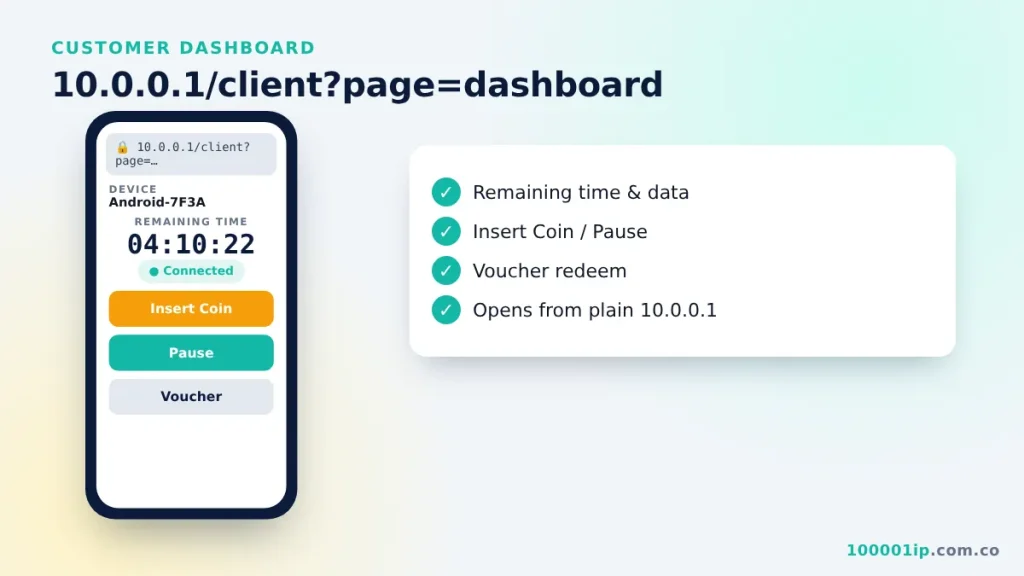
10.0.0.1/client?page=dashboard is the customer dashboard on newer Piso WiFi software. It shows your remaining time with Insert Coin, Pause and Voucher buttons. Opening plain 10.0.0.1 usually redirects there automatically.
The 10.0.0.1 client dashboard is where Piso WiFi customers see their time and buttons. Some systems send you to longer addresses such as 10.0.0.1/client?page=dashboard, 10.0.0.1/portal.html or 10.0.0.1/status. They are all parts of the same local portal. Here is what each one does and how to open it.
10.0.0.1 client dashboard
This is the customer dashboard on newer Piso WiFi software. It shows your device name, remaining time, data used, and buttons for Insert Coin, Pause and Voucher. You normally do not have to type it: opening 10.0.0.1 redirects you there automatically. If the redirect fails, type the full address http://10.0.0.1/client?page=dashboard.
How to open the 10.0.0.1 client dashboard
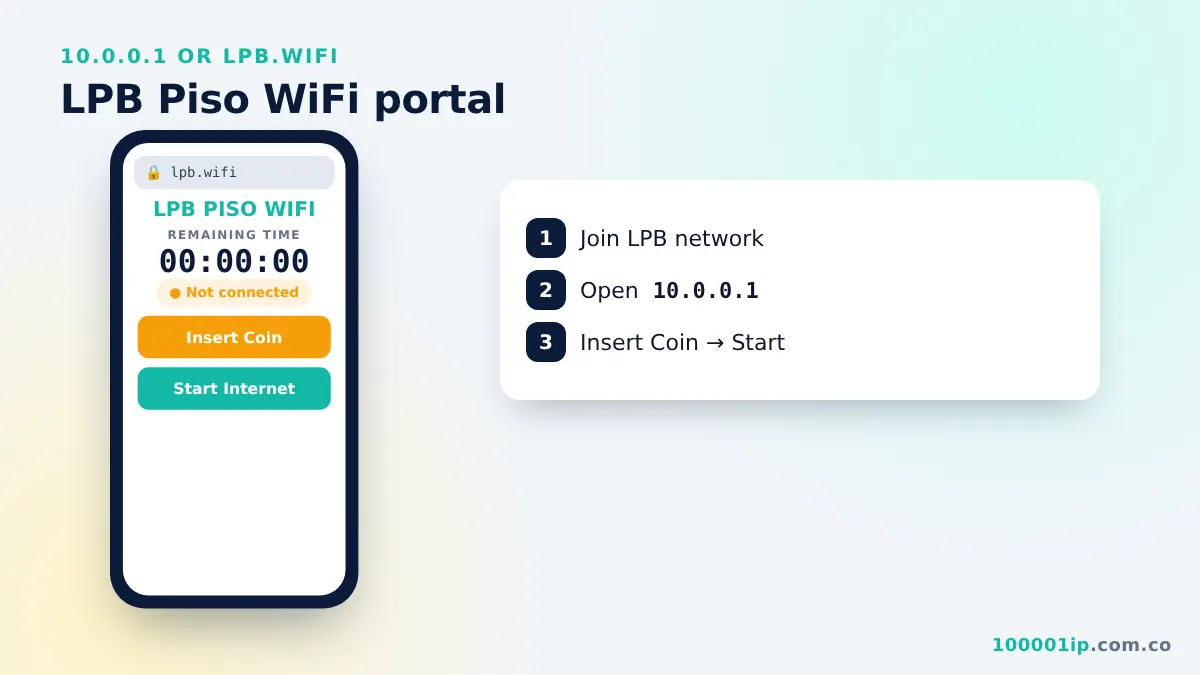
- Connect to the Piso WiFi network and turn off mobile data.
- Open Chrome or Safari and type
10.0.0.1in the address bar. - Wait for the redirect. Newer systems jump straight to the dashboard.
- If you stay on a blank page, type the full dashboard path from the section above.
- Bookmark the page so you can check your time with one tap next time.
What you can do on the dashboard
- See your device name and MAC address, which is how the vendo recognises you.
- Check remaining time and, on some systems, the data you have used.
- Insert coins or redeem a voucher to add time.
- Pause and resume your session, if the owner allows it.
- View the owner’s rates and any promo bundles.
Other 10.0.0.1 paths
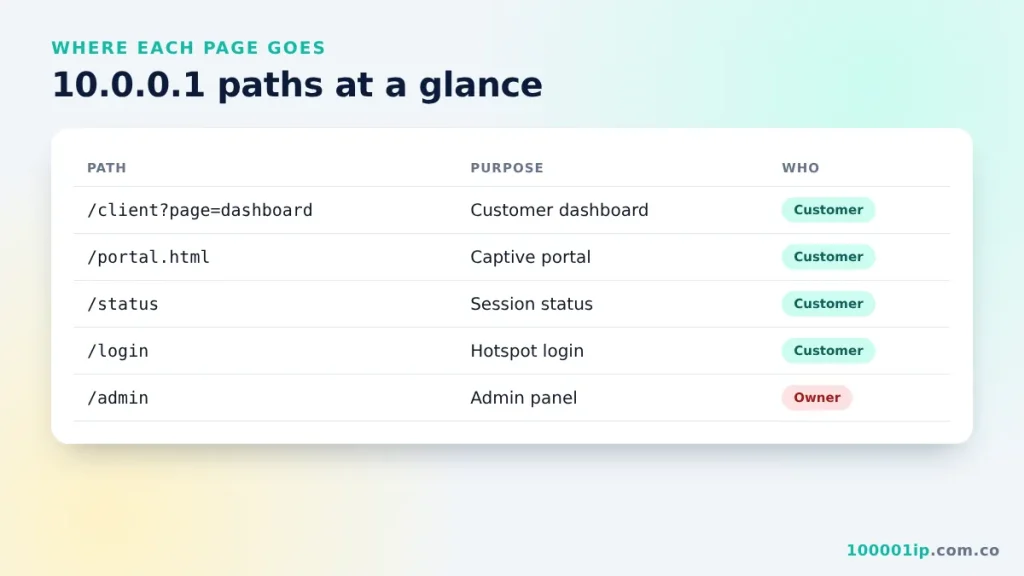
| Address | Used for | Who uses it |
|---|---|---|
| 10.0.0.1 | Main portal or router login | Everyone |
| 10.0.0.1/client?page=dashboard | Customer dashboard | Customers |
| 10.0.0.1/portal.html | Captive portal landing page | Customers |
| 10.0.0.1/status | Session status (time, data, IP) | Customers |
| 10.0.0.1/login | Hotspot login page | Customers |
| 10.0.0.1/admin | Owner admin panel | Owners only |
Not every machine has every path. If one returns “404 Not Found”, go back to plain 10.0.0.1 and let the portal take you where it needs to.
10.0.0.1/portal.html
The portal.html page is the captive portal: the screen your phone shows in the “Sign in to Wi-Fi network” pop-up. It holds the welcome banner, the rates and the Insert Coin button. If the pop-up closes too quickly, open http://10.0.0.1/portal.html in your browser to reach it manually.
10.0.0.1/status
The status page shows whether you are connected, your IP address, time left and data used. On MikroTik-based hotspots, it also has the Log Out button. Logging out may end your session, so use Pause instead if you want to keep your time.
Client dashboard FAQ
Why does the dashboard say my device is not registered?
Your phone is probably using a random (private) MAC address for this WiFi. Switch it to the device MAC in the network’s privacy settings, reconnect and open the dashboard again.
Can other people see my dashboard?
No. Each device sees only its own session. Other customers on the same vendo get their own dashboard with their own time.
Why does the page show 404 Not Found?
Your machine runs different software that does not use this path. Open plain 10.0.0.1 and follow the links the portal shows you.
What if the vendo is restarting?
During a restart the page will not load at all, and your phone may say the WiFi has no internet. Wait two or three minutes, reconnect, and open the portal again. Your remaining time is normally saved through a restart.
Is it safe to bookmark the dashboard?
Yes. The bookmark only works while you are on that Piso WiFi network, and it contains no password. On another network it simply will not load.
Does the dashboard use my data?
Opening it uses a tiny amount of your Piso WiFi time, far less than loading a normal website. It does not touch your mobile data because the page comes from the vendo itself.
Related guides
- 10.0.0.1 Piso WiFi portal guide
- 10.0.0.1/admin owner login
- Common 10.0.0.1 typos and the correct format
Frequently asked questions
What is 10.0.0.1/client?page=dashboard?
It is the Piso WiFi customer dashboard showing your time, data and buttons for coins, pause and vouchers.
What is 10.0.0.1/portal.html?
It is the captive portal page shown in the Sign in to Wi-Fi pop-up.
Why does 10.0.0.1/status show 404?
That machine does not use the /status path. Open plain 10.0.0.1 instead.