
1.0.0.0.1 and 10.0.0.0.1 are not valid IP addresses because they have five numbers instead of four. The correct Piso WiFi and router address is 10.0.0.1. Type http://10.0.0.1 in the browser's address bar.
If you typed 1.0.0.0.1 or 10.0.0.0.1 and landed on a search page instead of your WiFi portal, you are not alone. Hundreds of thousands of people make the same typo every month. The short answer: these addresses do not exist. The one you want is 10.0.0.1.
Why 1.0.0.0.1 is not a valid IP
An IPv4 address has exactly four numbers (called octets) separated by three dots. Each number is between 0 and 255. Count the parts:
10.0.0.1→ 10 · 0 · 0 · 1 → 4 parts, valid1.0.0.0.1→ 1 · 0 · 0 · 0 · 1 → 5 parts, invalid10.0.0.0.1→ 10 · 0 · 0 · 0 · 1 → 5 parts, invalid
Because the browser cannot read a five-part address as an IP, it sends the text to Google as a search. That is why you see results instead of your Piso WiFi page.
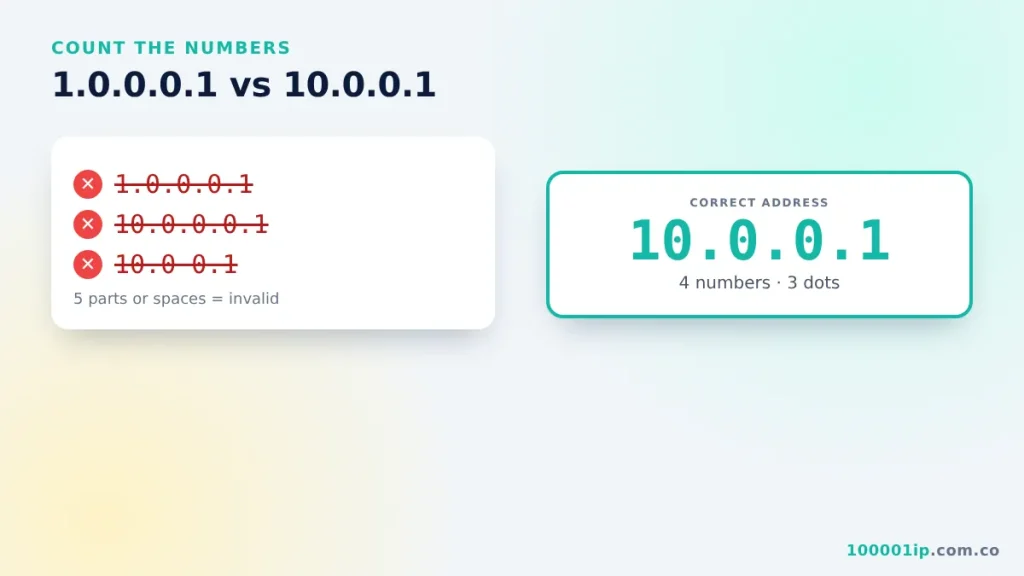
Every common 10.0.0.1 typo
| Typed | Problem | Correct |
|---|---|---|
| 1.0.0.0.1 | Five parts | 10.0.0.1 |
| 10.0.0.0.1 | Five parts | 10.0.0.1 |
| 10.0 0.1 | Space instead of a dot | 10.0.0.1 |
| 10.0.0.1. | Trailing dot | 10.0.0.1 |
| .10.0.0.1 | Leading dot | 10.0.0.1 |
| 10.0.0.l | Letter L instead of 1 | 10.0.0.1 |
| www.10.0.0.1 | “www” is for websites, not IPs | http://10.0.0.1 |
| http//10.0.0.1 | Missing colon | http://10.0.0.1 |
| https://10.0.0.1 | Most portals do not use https | http://10.0.0.1 |
How to type 10.0.0.1 correctly
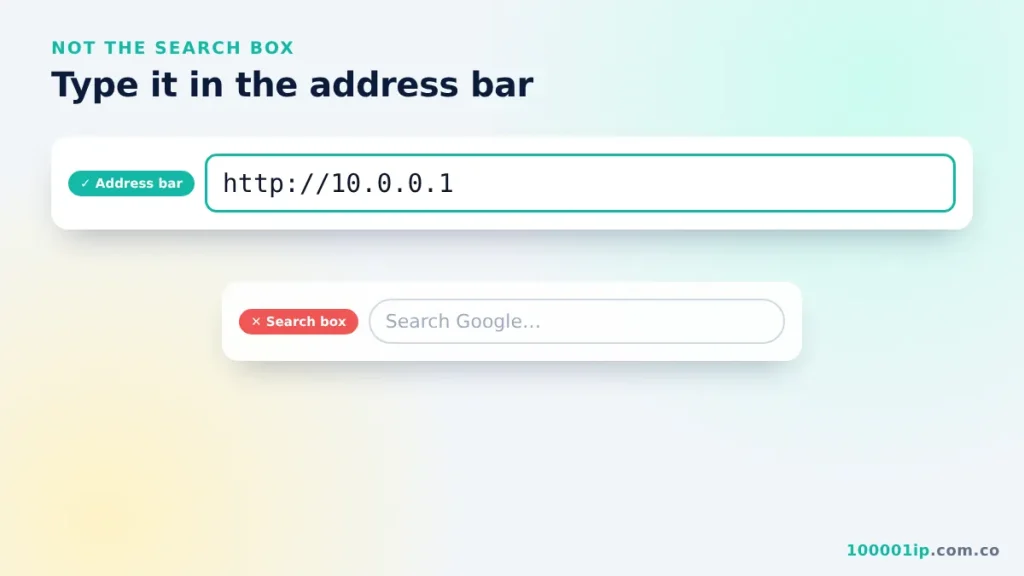
- Tap the address bar at the very top of the browser (not the Google search box on the page).
- Delete everything in it.
- Type
10.0.0.1: one-zero, dot, zero, dot, zero, dot, one. - Press Go or Enter.
If it still shows search results, type the full http://10.0.0.1. Once the page opens, bookmark it so you never have to type it again.
On many Android keyboards the dot only appears on the number layout. Tap the ?123 key, then use the period key, not the comma that sits next to it. On an iPhone, the number keyboard shows the dot near the bottom right. A quick look at the address before pressing Go saves a lot of frustration.
Why people type 1.0.0.0.1
Most of the time it is a slip of the thumb. On a phone keyboard the dot and the number row sit close together, so an extra 0 or a missing digit is easy to add. Others see 10.0.0.1 written on a sticker or a screenshot and read the first “10” as “1.0”. Autocomplete makes it worse: once you open 1.0.0.0.1 by mistake, the browser keeps suggesting it every time you start typing.
To clear a wrong suggestion, start typing it in the address bar, highlight it in the drop-down list and remove it (press and hold on Android, or Shift + Delete on a computer). Then type the correct address and bookmark it.
Is 10.0.0.0.1 ever a real address?
No. No device on any network uses a five-part IPv4 address, so there is nothing to connect to. You may also see 10.0.0.0, which is the network address of the private range rather than a device, and 10.0.0.138 or 10.0.0.2, which are real gateways on some modems. If 10.0.0.1 does not open on your network, check the gateway in your WiFi settings instead of guessing.
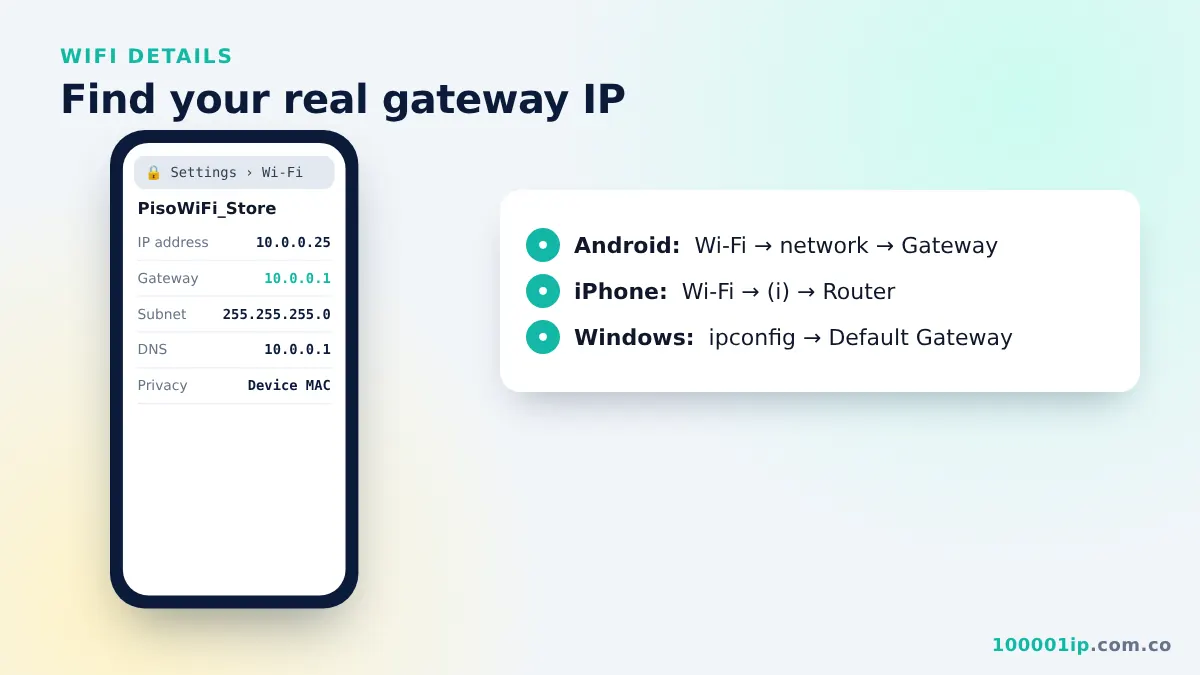
What to do next
1.0.0.0.1 FAQ
Can 1.0.0.0.1 harm my phone?
No. The browser simply runs a web search for the text. Just avoid sites in the results that claim to be your “router login”. The real portal only exists on your local network.
Why does 10.0.0.1 also open a search?
You probably typed it into the search box on the Google homepage. Use the address bar at the very top of the browser, or add http:// in front.
Does the same rule apply to 192.168.1.1?
Yes. Every IPv4 address has four parts, so typos like 192.168.1.1.1 or 192.168.l.1 fail in exactly the same way.
Frequently asked questions
Is 1.0.0.0.1 a real IP address?
No. A valid IPv4 address has four numbers. 1.0.0.0.1 has five, so browsers treat it as a search.
What is the difference between 10.0.0.0.1 and 10.0.0.1?
10.0.0.0.1 is a typo with an extra zero group. 10.0.0.1 is the real gateway address.
Why does typing 10.0.0.1 show Google results?
You typed it in the search box or added a typo. Type http://10.0.0.1 in the address bar instead.