10.0.0.1 is a valid private IPv4 address from the 10.0.0.0/8 range (RFC 1918). Routers and Piso WiFi vendos use it as the default gateway, so it only works inside a local network, never over the public internet.
What is 10.0.0.1? It is a private IPv4 address reserved for local networks. Routers, modems and Piso WiFi vendos use it as their default gateway: the address your devices talk to first before reaching the internet. Typing it in a browser opens that device’s own settings or portal page.
Is 10.0.0.1 a valid IP address?
Yes. 10.0.0.1 is valid and sits inside the 10.0.0.0/8 range, which RFC 1918 sets aside for private use. Private addresses are not routed on the public internet, so thousands of networks around the world can all use 10.0.0.1 at the same time without clashing. Each one only sees its own.
| Private range | Addresses | Common gateway |
|---|---|---|
| 10.0.0.0/8 | 10.0.0.0 to 10.255.255.255 | 10.0.0.1, 10.0.0.138 |
| 172.16.0.0/12 | 172.16.0.0 to 172.31.255.255 | 172.16.0.1 |
| 192.168.0.0/16 | 192.168.0.0 to 192.168.255.255 | 192.168.0.1, 192.168.1.1 |
What is a default gateway?
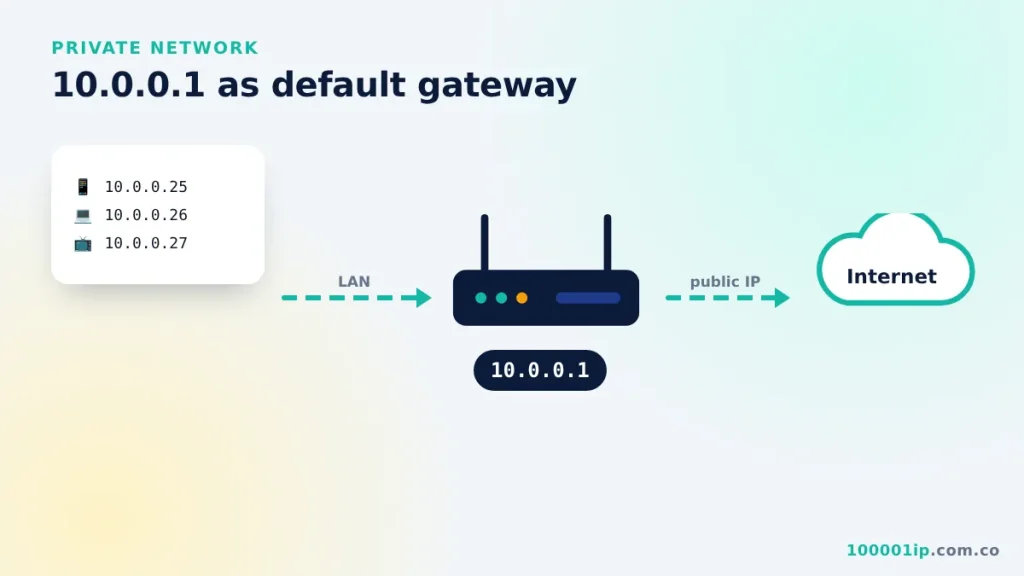
Your phone gets a local address like 10.0.0.25 from the router. When it wants to reach a website, it sends the request to the gateway (10.0.0.1), which forwards it to the internet and sends the reply back. The same device also hosts a small web server on that address, which is why you see a login page or a Piso WiFi portal when you visit it.
So when people ask what is 10.0.0.1, the short answer is: the door between your home or shop network and the internet, with a settings page built in. The 10.0.0.1 IP address only has meaning on your own network. On someone else’s WiFi it points to their gateway, not yours.
What is 10.0.0.1 used for?
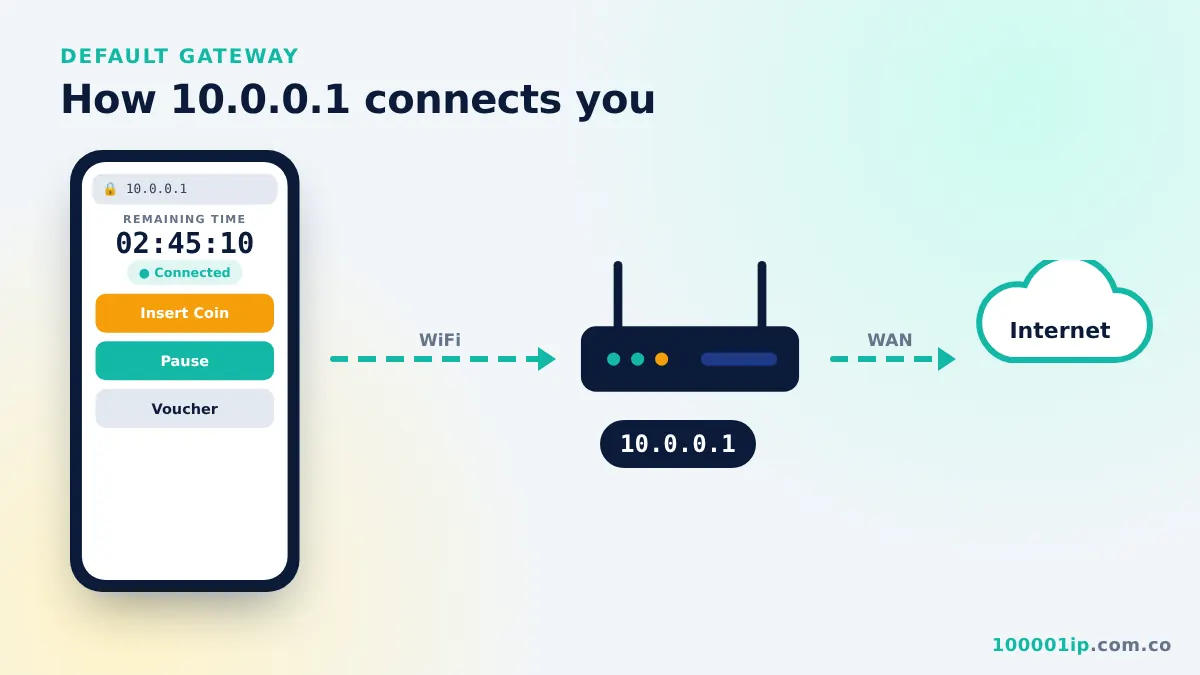
On most networks it does two jobs at once. First, it is the gateway that moves traffic between your devices and the internet. Second, it serves a small web page for setup: a router admin panel at home, or the coin portal on a Piso WiFi vendo. When you open 10.0.0.1 in a browser, you are talking to that box directly, not to a website on the internet.
Which devices use 10.0.0.1?
- Piso WiFi vendos: LPB, Adopisoft, JuanFi, WiFi5 Soft. See the LPB guide.
- Xfinity / Comcast gateways in the United States. See the Xfinity login guide.
- Some Cisco, Linksys and Apple routers configured on the 10.x range.
- MikroTik hotspots used by ISPs and businesses.
What does 10.0.0.1/24 mean?
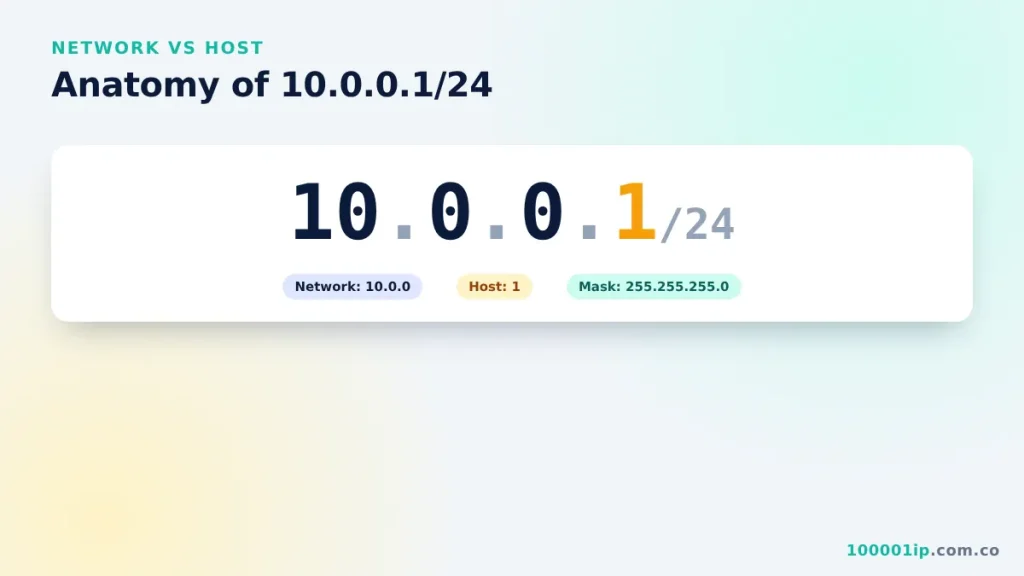
The /24 is the subnet mask (255.255.255.0). It means the first three numbers (10.0.0) identify the network and the last number identifies the device. So a 10.0.0.1/24 network can hold devices from 10.0.0.1 to 10.0.0.254.
Is 10.0.0.1 safe?
Yes. The address itself is harmless and cannot be reached from outside your network. What matters is who can log in. Change the router’s default admin password, keep its firmware updated, and only enter the admin password on the real local page, never on a site that appears in search results.
How to find your gateway address
- Android: Settings → Network & internet → Wi-Fi → tap the network → Advanced → Gateway.
- iPhone: Settings → Wi-Fi → tap (i) → Router.
- Windows: open Command Prompt, type
ipconfigand read Default Gateway. - Mac: System Settings → Network → Wi-Fi → Details → TCP/IP → Router.
If the value is not 10.0.0.1, use the address you see there.
What is 10.0.0.1 FAQ
Can two networks both use 10.0.0.1?
Yes. Private addresses are reused on millions of networks. Each one only sees its own gateway, so there is no conflict.
Can I change my router’s address from 10.0.0.1?
Yes, in the LAN or DHCP settings of the router admin page. After saving, reconnect and use the new address to log in.
Is 10.0.0.0 the same as 10.0.0.1?
No. 10.0.0.0 is the network address of the range, not a device. The gateway is usually the first usable address, 10.0.0.1.
Related guides
Frequently asked questions
Is 10.0.0.1 a valid IP address?
Yes. It is a valid private IPv4 address in the 10.0.0.0/8 range.
Is 10.0.0.1 public or private?
Private. It is not routed on the internet and only works inside a local network.
What does 10.0.0.1/24 mean?
It means the subnet mask is 255.255.255.0, so the network holds devices from 10.0.0.1 to 10.0.0.254.